Slido alternatives: 6 live Q&A tools compared (2026)
Comparing six Slido alternatives for live Q&A and polls, with free plan limits, starting prices and the kind of event each one suits best.
ChimeIn team6 min read
Slido is the tool many people think of first for live Q&A. It’s part of Cisco, it works inside Webex, PowerPoint and Google Slides, and its free plan covers a small meeting. So why look for a Slido alternative?
The usual reasons are price and limits. Slido’s free plan caps you at 100 participants and 3 polls per event. Its paid plans are sold yearly or per event, with no monthly option. If you run a few meetings a month, need quizzes alongside Q&A, or want something your team can try without a purchase order, other tools may fit better.
This guide compares six alternatives on what matters for live Q&A: how big an audience the free plan allows, what paid plans start at, and which kind of event each one suits.
Slido at a glance
Before the alternatives, here’s what you get with Slido today:
- Basic (free): up to 100 participants, basic audience Q&A and 3 polls per event.
- Engage: $210 a year ($17.50 a month), up to 200 participants, unlimited polls and quizzes.
- Professional: $900 a year for 2 users, up to 1,000 participants, plus question moderation and branding.
- One-time plans for a single event lasting up to 7 days.
Slido doesn’t accept monthly payments. Question moderation, where a host approves questions before the audience sees them, starts at the Professional plan.
The 6 Slido alternatives at a glance
| Tool | Free plan audience | Paid plans from | Best for |
|---|---|---|---|
| Mentimeter | 50 participants a month | $14 a month, billed yearly | Polished presentations with many slide types |
| Pigeonhole Live | 100 participants | $13 a month, billed yearly | Conferences and multi-session events |
| Vevox | 100 participants | $11.95 a month, billed yearly | Training sessions that need many poll types |
| Poll Everywhere | 40 participants | $10 a month, billed yearly | Presenters who mainly run polls |
| AhaSlides | 50 participants a month | $7.95 a month, billed yearly | Tight budgets and quiz-heavy sessions |
| ChimeIn | 100 per session | Custom plans on request | Meetings and classes that mix Q&A, polls and quizzes |
1. Mentimeter
Mentimeter is an interactive presentation tool: you build slides, and some of them are polls, word clouds, quizzes or Q&A. It’s a strong choice if you want the whole presentation in one place and care about how it looks on screen.
- Free plan: 50 participants a month, with 23 slide types. Q&A is included.
- Paid: Basic at $14 per presenter a month and Pro at $28, both billed yearly only. Q&A moderation from your phone is a Pro feature.
- Watch out for: the free plan’s 50 participants is a monthly total, not a per-session limit, so it runs out quickly if you present often.
2. Pigeonhole Live
Pigeonhole Live is built for events. It handles multi-track conferences, where each session room runs its own Q&A, and it offers AI translation of questions as an add-on.
- Free plan: 100 participants and 1 user, with unlimited Q&As.
- Paid: Presenter at $13 a month (billed yearly, $156) for 250 participants. Standard at $150 a month (billed yearly, $1,800) for 2,000 participants and 3 users.
- Watch out for: moderation is only on paid plans, and the jump from Presenter to Standard is large.
3. Vevox
Vevox offers polling, quizzes and Q&A boards with separate plans for business and education. Its paid plans add word clouds, rankings, numeric answers and more poll types.
- Free plan: 100 participants per session, with unlimited multiple-choice polls, quizzes and Q&A.
- Paid: Starter at $11.95 a month for 250 participants and Pro at $24.95 a month for 1,500 participants, both billed yearly.
- Watch out for: Q&A moderation is only on Pro, and the free plan only has multiple-choice polls.
4. Poll Everywhere
Poll Everywhere is well known in universities and large companies. Its strength is polling: multiple choice, open text, clickable images and more.
- Free plan: 40 participants (700 for your first 30 days).
- Paid: Present at $120 a year, Engage at $588 a year and Teams at $999 a year. Monthly billing costs more. Paid plans allow 700 participants.
- Watch out for: the free audience of 40 is the smallest here, so it suits classes and team meetings rather than all-hands.
5. AhaSlides
AhaSlides is an interactive presentation tool with polls, quizzes, word clouds and Q&A. It’s the cheapest paid option on this list.
- Free plan: 50 participants a month, with up to 5 quiz questions and 3 poll questions per presentation.
- Paid: Essential at $7.95 a month and Pro at $15.95 a month, both billed yearly. Monthly billing is available at a higher price.
- Watch out for: Q&A moderation is only on Pro.
6. ChimeIn
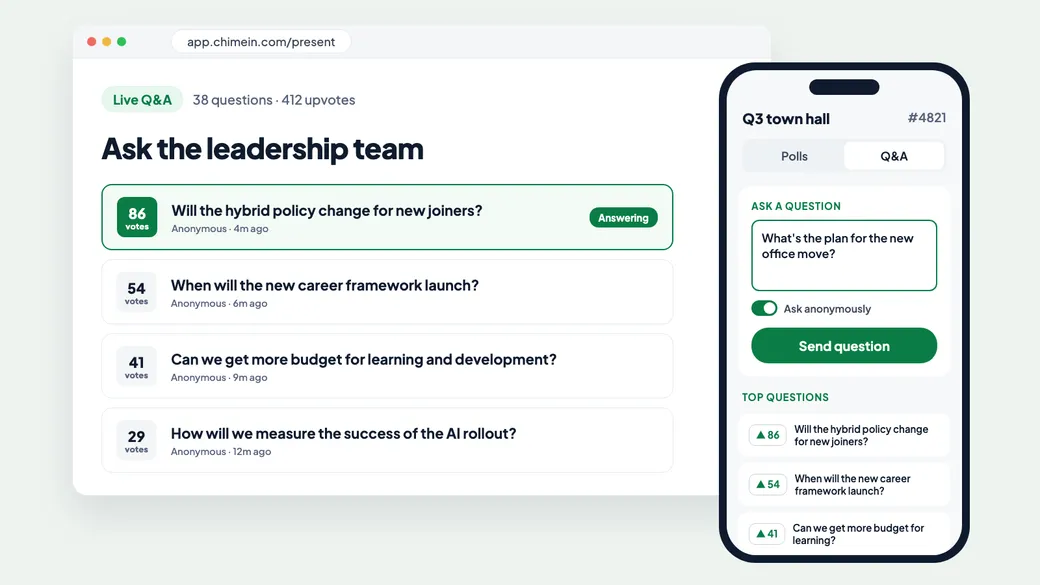
ChimeIn is our own tool, so read this section with that in mind. It’s built around sessions that mix live Q&A, polls and quizzes. Your audience switches between them in one tap.
- Anonymous by default: people choose whether to add their name, so you hear the questions they’d never raise out loud.
- Upvoting: the audience votes up the questions they care about. Sort by popular or recent, and highlight the one you’re answering so remote attendees can follow.
- No app, no account: participants join from their phone’s browser with a code.
- Built-in video meetings: if you don’t already use Zoom or Teams, ChimeIn Meetings puts video, chat and polls in one link.
- Pricing: free for up to 100 participants per session, with up to 100 Q&A questions and 5 polls per session. For bigger audiences or a whole team, we’ll put together a custom plan. We’re opening accounts in waves; join the interest list or book a demo.
- Watch out for: ChimeIn doesn’t yet offer a moderation queue, where a host approves questions before anyone sees them. If you need that for a large public event, Slido Professional or a paid Pigeonhole Live plan will suit you better today.
How to choose
Start with the event you run most often, not the biggest one:
- Weekly team meetings or classes: most free plans work. Check whether the limit is per session (Slido, Pigeonhole Live, Vevox) or per month (Mentimeter, AhaSlides).
- All-hands and town halls: you want upvoting, anonymous questions and an audience limit above your headcount. Look closely at the 100 to 250 participant tiers.
- Conferences: multi-track Q&A and moderation matter most. Pigeonhole Live and Slido are built for this.
- Training and revision: pick a tool where quizzes and Q&A live in the same session, so you don’t juggle two links.
Whichever you pick, run a five-minute test with two colleagues before the real event. Join on a phone, ask a question, upvote it and put it on the big screen. That’s the whole experience your audience will have.
If you’re new to live audience tools, our guide to creating a live poll walks through a first session step by step.