25 Fun Icebreaker Poll Questions for Meetings and Classes
Boost engagement at the start of any meeting or class with these 25 fun icebreaker poll questions. Multiple choice, word clouds, ratings and rankings included.
ChimeIn team5 min read

Starting a meeting or lecture with a quick live poll breaks the ice, gets everyone’s attention, and sets an interactive tone. Instead of waiting for a quiet room to warm up, a poll gives everyone a voice right away without putting anyone on the spot.
Here are 25 fun, effective icebreaker poll questions grouped by session type, along with tips on which poll format to use for maximum participation.
Quick Temperature Checks
These short questions work well for weekly team syncs, morning classes, or department updates.
1. How is your energy level heading into today’s session?
- Type: Multiple choice or Ratings
- Options: 🔋 Fully charged / ☕ Powered by caffeine / 😐 Hanging in there / 🪫 Need a miracle
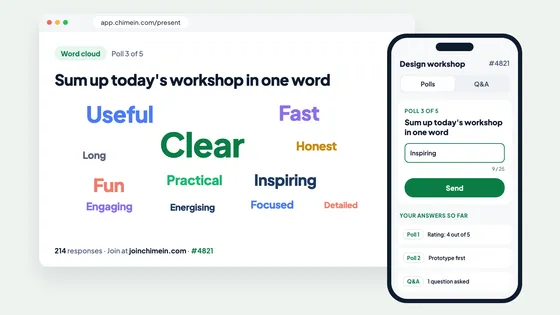
2. Describe your current mood in one word.
- Type: Word cloud
- Tip: Word clouds are great for getting instant sentiment across a large group. Frequently typed words automatically grow bigger on screen.
3. How has your week been so far?
- Type: Ratings (1 to 5 stars)
- Options: 1 Star (Surviving) to 5 Stars (Thriving)
4. What is your top priority for today?
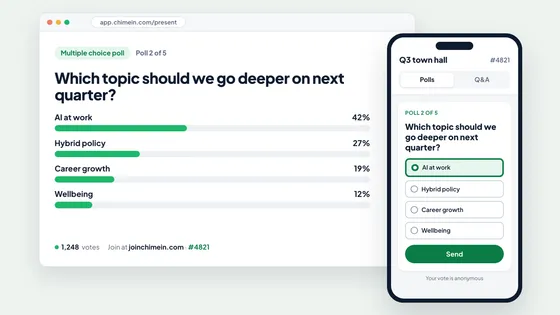
- Type: Multiple choice
- Options: Deep focus work / Clearing my inbox / Collaborating with the team / Preparing for a big launch
5. Where are you joining us from today?
- Type: Word cloud
- Tip: Excellent for remote or hybrid teams spread across different cities or time zones.
Remote & Hybrid Team Builders
Help distributed teams bond, laugh, and share personal quirks without taking up half the meeting.
6. What is your official work-from-home uniform today?
- Type: Multiple choice
- Options: Full business professional / Business on top, sweatpants on bottom / 100% cozy hoodie / Whatever was on top of the pile
7. What is your go-to beverage during long meetings?
- Type: Multiple choice
- Options: Black coffee / Fancy espresso / Herbal tea / Ice-cold water / Energy drink
8. What is your biggest WFH distraction?
- Type: Word cloud
- Options: Open-ended (Pets, noisy delivery trucks, doorbells, snacks)
9. Which camera status best describes you today?
- Type: Multiple choice
- Options: HD Ready / Lighting is terrible / Off and keeping it that way / Hiding behind a virtual background
10. How many tabs do you currently have open in your browser?
- Type: Rankings or Multiple choice
- Options: 1–5 (Minimalist) / 6–15 (Organized) / 16–30 (Getting chaotic) / 30+ (Don’t judge me)
Fun & Lighthearted Debates
Settle silly, low-stakes debates to spark friendly conversation in the chat or room.
11. Is pineapple on pizza acceptable?
- Type: Multiple choice
- Options: Delicious perfection / Culinary crime / I’m neutral
12. Are you a morning person or a night owl?
- Type: Multiple choice
- Options: Early bird (up before sunrise) / Night owl (productive after midnight) / Permanently exhausted
13. Which superpower would you pick for work?
- Type: Multiple choice
- Options: Teleportation (no commute) / Time travel (endless deadlines) / Reading minds (know what the client wants) / Invisibility (quiet focus time)
14. What is the ultimate comfort food?
- Type: Word cloud
- Tip: Let participants type their favorite dish and watch pizza, tacos, or ramen take over the screen.
15. Coffee or Tea?
- Type: Multiple choice
- Options: Team Coffee ☕ / Team Tea 🍵 / Neither (Water/Juice) / Both equally
Classrooms & Training Workshops
Engage students or workshop attendees before diving into deep material.
16. How familiar are you with today’s topic?
- Type: Ratings (1 to 5)
- Options: 1 = Complete beginner / 5 = I could teach this class
17. What is one thing you hope to learn today?
- Type: Word cloud or Open response
- Tip: Helps instructors gauge expectations and tailor the lecture in real time.
18. How do you prefer to absorb new information?
- Type: Multiple choice
- Options: Visual diagrams / Hands-on practice / Group discussion / Reading detailed notes
19. If today’s topic was a movie genre, what would it be?
- Type: Multiple choice
- Options: Action-packed thriller / Mystery puzzle / Sci-fi adventure / Documentary
20. How confident do you feel about the upcoming assignment/exam?
- Type: Ratings (1 to 5)
- Tip: Keep this poll anonymous so students can express genuine feedback without fear.
Priorities, Planning & Kickoffs
Use these questions at project kickoffs or strategy sessions to align the team quickly.
21. What is the biggest opportunity for our team this quarter?
- Type: Word cloud or Multiple choice
- Options: Speed of execution / Customer experience / Feature innovation / Process efficiency
22. What is our biggest potential roadblock?
- Type: Multiple choice
- Options: Competing priorities / Limited bandwidth / Technical debt / Clear requirements
23. Rank these goals in order of urgency for today’s workshop.
- Type: Rankings
- Tip: Let participants drag and reorder choices so the group sees true consensus rather than just a top pick.
24. Sum up our goal for this project in a single word.
- Type: Word cloud
25. On a scale of 1–5, how clear is the action plan?
- Type: Ratings (1 to 5)
How to Run an Icebreaker Poll in ChimeIn
Running an icebreaker poll with ChimeIn takes less than 60 seconds:
- Create a poll: Log into your dashboard and pick your question type (multiple choice, word cloud, rating, or ranking).
- Present the screen: Display the join code and QR code on your shared screen or projector.
- Watch responses live: Participants scan the QR code on their phone—no app download required—and votes appear live on screen as they come in.
Want to make your next meeting or class interactive? Create a free ChimeIn account and run your first live poll in minutes.